


Home

Profile Modifications

This feature is available on the ✅ Web Portal and the ✅ Mobile Application.
This feature is available on the ✅ Web Portal only and is not available on the ❌ Mobile Application.
This feature is available on the ✅ Mobile App only and is not available on the ❌ Web Portal.
1. Log into the Sway Portal

2. Search and click on the profile
.png)
3. Click on the pencil to the right of the Profile's name and make the needed changes to the profile's information
.png)
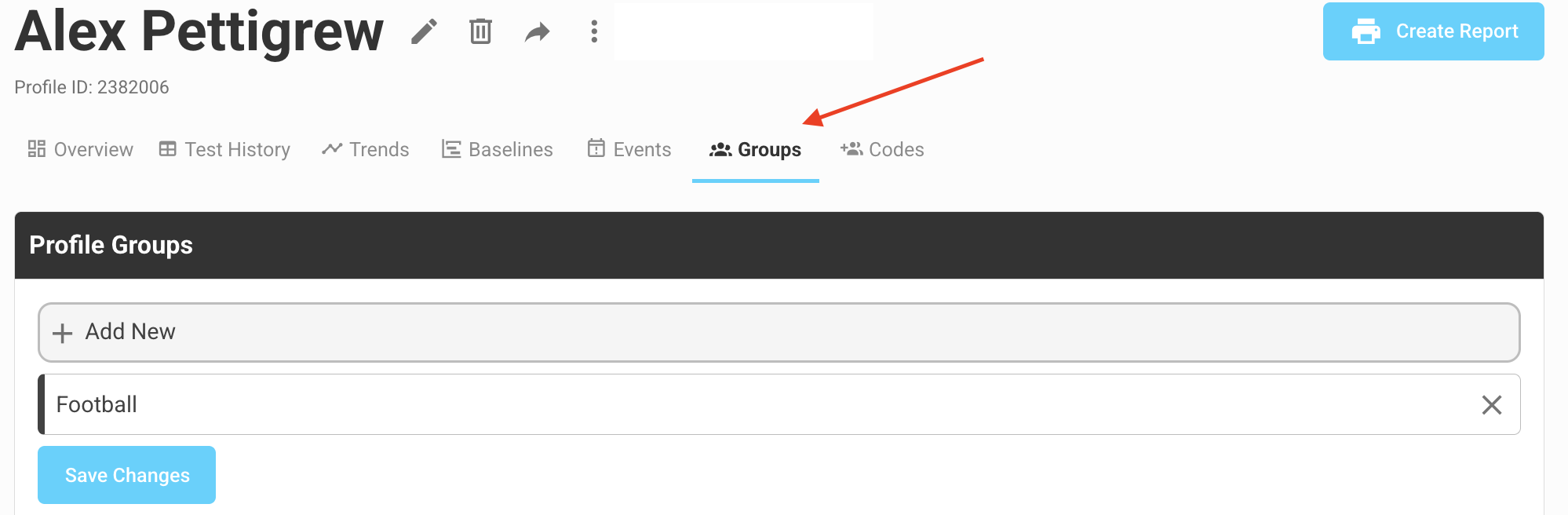
4. If you would like to adjust what Group the profile is living in (add or remove from groups), click the Group tab under the Profile's name.
5. Once your changes are complete, click the “Save” button
1. Log into the Sway app

2. Locate and click on the profile and click on “Actions”
.jpg)
4. Click on “Edit Profile”
.PNG)
5. Make the needed changes
6. Once your changes are complete, click the “Save” button
%20dual.png)
6. Once your changes are complete, click the “Save” button

